Sell Solana in Senegal
Got SOL and need CFA francs? On Mufasa X you sell your Solana and the money lands on your Orange Money account.
The CFA amount is shown before you confirm, fees included. You then send your SOL on the Solana network, and the payout goes out as soon as the deposit is received.
At a glance
| Payout | Orange Money (the payout lands on the Orange Money account, also shown in Max it) |
|---|---|
| Crypto | SOL on the Solana network (the “Solana” row of the list) |
| Amount | No minimum; the amount you receive is shown before you confirm |
| Time to send | 10 minutes after the quote |
| Delivery | Payout within seconds once the deposit is received |
| Fees | Included in the rate shown before you sell |
Sell SOL to Orange Money, step by step
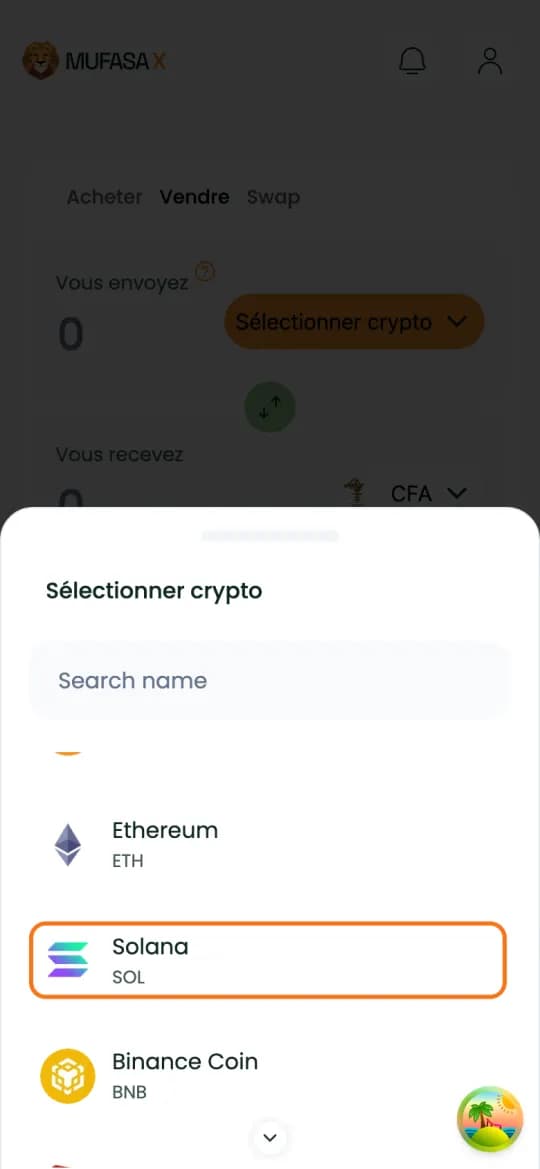
1. Open the “Sell” tab and pick Solana
Sign in on mufasax.com, tap the “Sell” tab then “Select crypto”. Pick the “Solana” (SOL) row, with no network badge: the “Tether USD” and “USD Coin” rows marked SOL are USDT and USDC, not SOL.
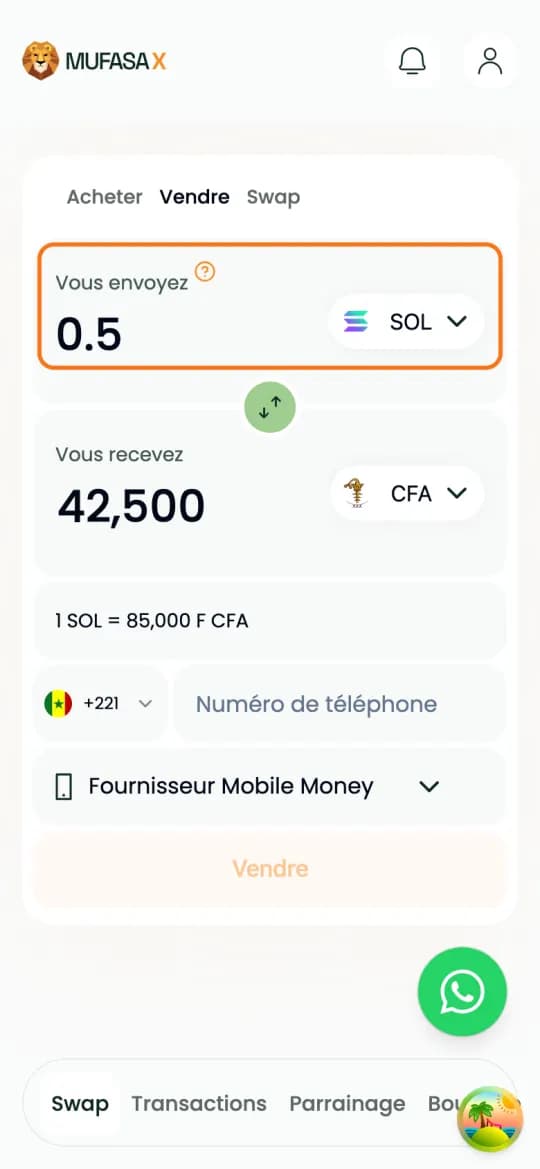
2. Enter the amount of SOL
Type the amount to sell, 0.5 SOL here, or the CFA amount you want to receive: the other field fills in by itself, with the rate “1 SOL = … F CFA”. The rate in the screenshot is an example: yours shows on screen.
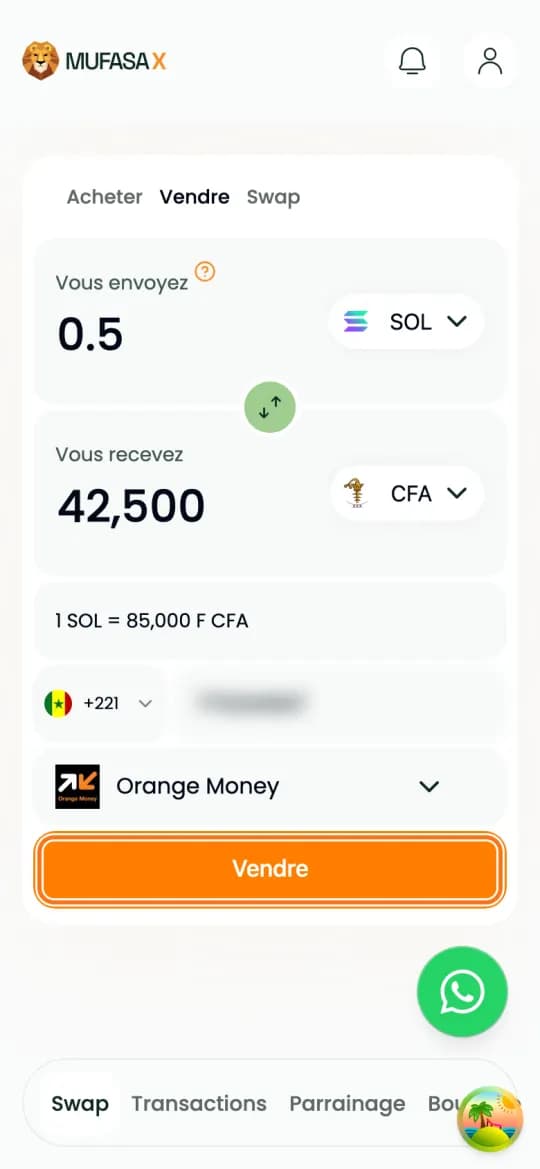
3. Enter your Orange Money number
Enter the number that will receive the money, without +221, and pick “Orange Money” under “Mobile Money Supplier”. Double-check it, then tap “Sell”.
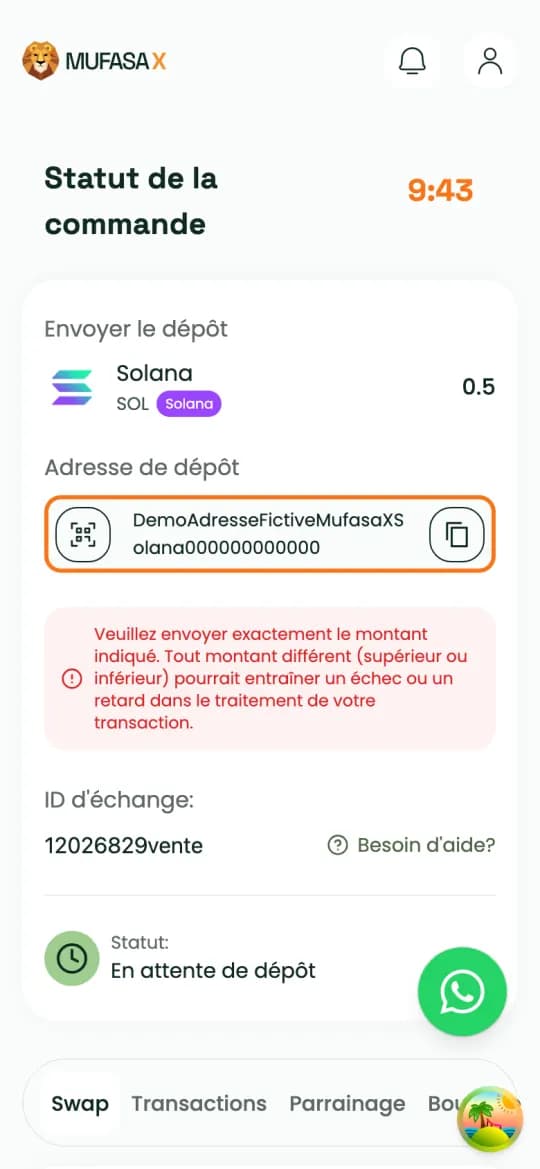
4. Send exactly the amount shown, on the Solana network
The page shows the deposit address, the exact amount to send and a 10-minute timer. Copy the address with the button on its right and send your SOL on the Solana network. From an exchange, add its withdrawal fee so the amount that arrives is the right one.
5. Track the sale
As soon as your deposit arrives, the status moves to “Deposit Received” then “Processing Payment”. You can close the page: the sale goes on and stays in your history.
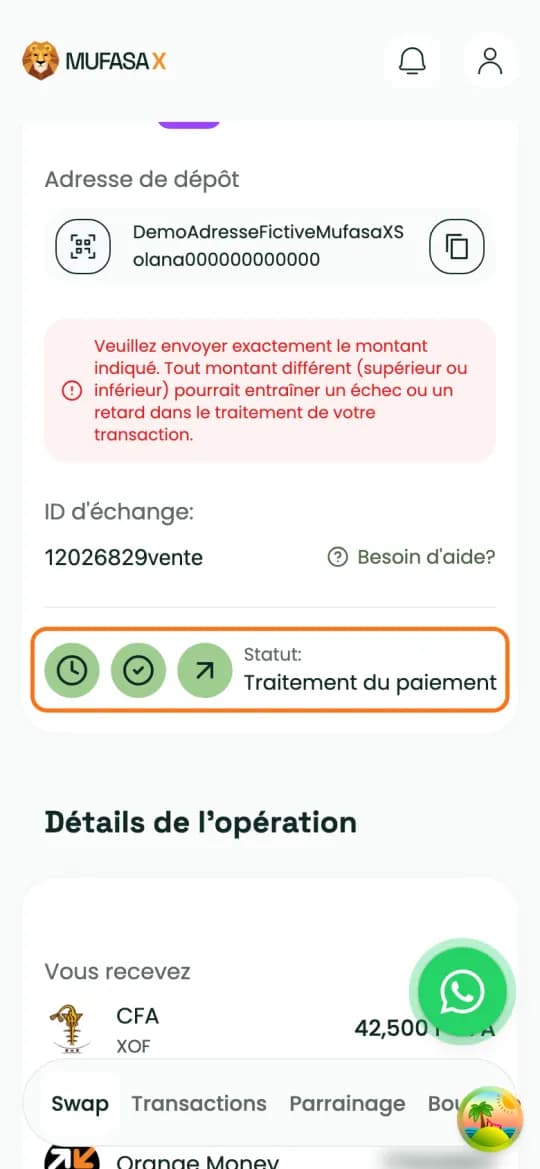
6. Receive your CFA francs on Orange Money
The payout goes to your Orange Money number within seconds of the deposit being received. The page shows “Transaction réussie !”.
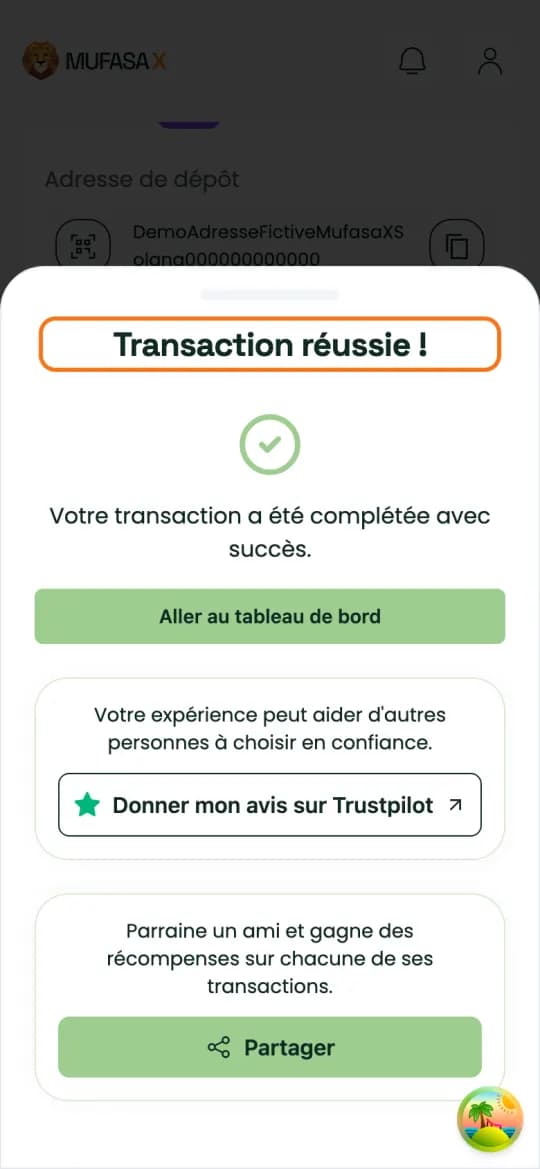
SOL, USDT or USDC on Solana: pick the right row
In the crypto list, “Solana” is SOL. “Tether USD” and “USD Coin” marked SOL are USDT and USDC sent on the Solana network: those are other sales.
Send the crypto you picked, and only that one: USDT sent to the address of a SOL sale is not matched automatically, support then has to step in.
Send the amount shown in one go, on the Solana network.
If something goes wrong
Different amount: send exactly the amount shown. If the amount received does not match, contact WhatsApp support with your exchange ID.
Time limit exceeded: do not send anything to the address once the quote has expired. If your transfer left too late, contact WhatsApp support with your exchange ID.
SOL is not a stablecoin
Unlike USDT, SOL is not designed to track the dollar: its price in CFA francs goes up and down all the time.
The amount you receive is the one quoted, provided you send your SOL before the timer runs out. The current sell rate also shows on the crypto to FCFA converter.
Your SOL is on Binance or in a wallet?
From Binance, withdraw your SOL to the deposit address Mufasa X gives you, with the “SOL Solana” network. The Binance withdrawal guide shows the flow screen by screen, with USDC on the same network.
From a wallet such as Trust Wallet, send your SOL to the deposit address from the wallet's send screen.
Frequently asked questions
- How do I sell Solana for CFA francs?
- On Mufasa X, “Sell” tab: pick Solana, enter the amount and your Orange Money number, then send your SOL to the deposit address shown. The CFA francs are paid to Orange Money once the deposit is received.
- Can I sell SOL and get paid on Orange Money?
- Yes. A sale is paid out on Orange Money, to the number entered in your sell order.
- How much is 1 SOL in FCFA?
- SOL's price changes all the time. The current sell rate shows on the sell screen before you confirm, and on the Mufasa X crypto to FCFA converter.
- Which network should I send my SOL on?
- The Solana network. From Binance, pick the “SOL Solana” network.
- Is there a minimum amount?
- Mufasa X sets no minimum for selling. For a small amount, check the amount received shown before you confirm: network fees weigh more on it.
- My SOL left after the timer ran out: what now?
- Do not send anything more to the address and contact WhatsApp support with your exchange ID and your transaction ID (TxID).
Crypto-assets are volatile: only commit what you can afford to lose.
Sell my SOL