How to buy USDT with Wave
On Mufasa X, you pay for your USDT (Tether) in CFA francs from your Wave account, then receive it on your own wallet. Here is the full flow, screen by screen.
In short: pick USDT, enter the amount, paste your wallet address, pick Wave, then pay in the Wave app without changing the amount.
Looking to sell instead? Sell USDT and get paid on Wave
At a glance
| Payment | Wave: payment link (on a phone) or QR code (on a computer) that opens the Wave app |
|---|---|
| USDT networks | Ethereum (ERC-20), BNB Chain (BEP-20), Solana, Tron (TRC-20) |
| Minimum amount | 2,000 FCFA (8,000 FCFA for USDT on Tron) |
| Maximum per purchase | 100,000 FCFA without identity verification, up to 2,000,000 FCFA once verified |
| Delivery | Usually under 2 minutes after the Wave payment |
| Fees | Included in the rate shown before you pay |
Buy USDT with Wave, step by step
1. Pick USDT and its network
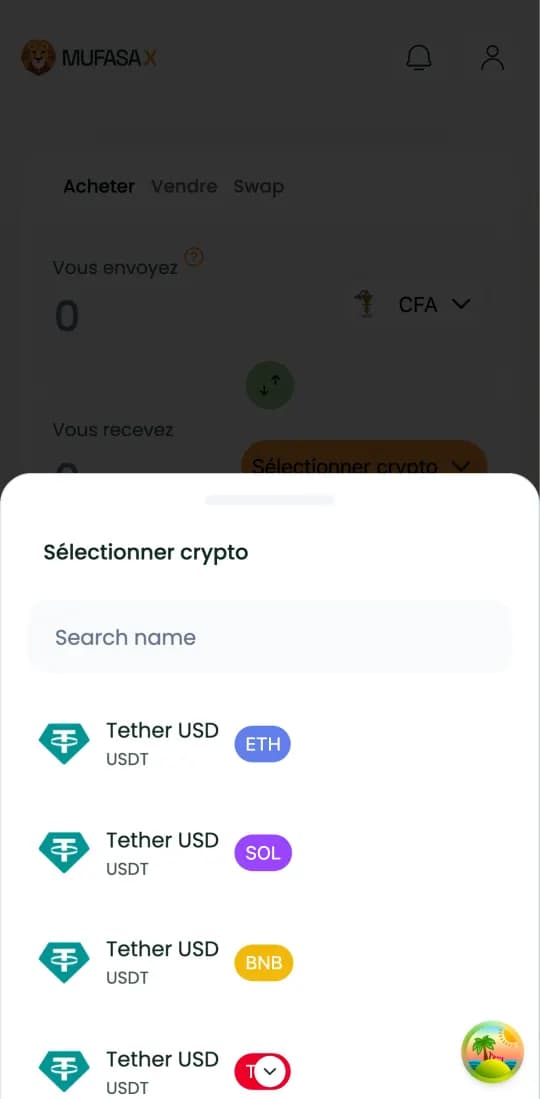
Sign in on mufasax.com, stay on the “Buy” tab and tap “Select crypto”. Pick “Tether USD” with your wallet's network: ETH, BNB, SOL or TRX.
2. Enter the amount in CFA francs
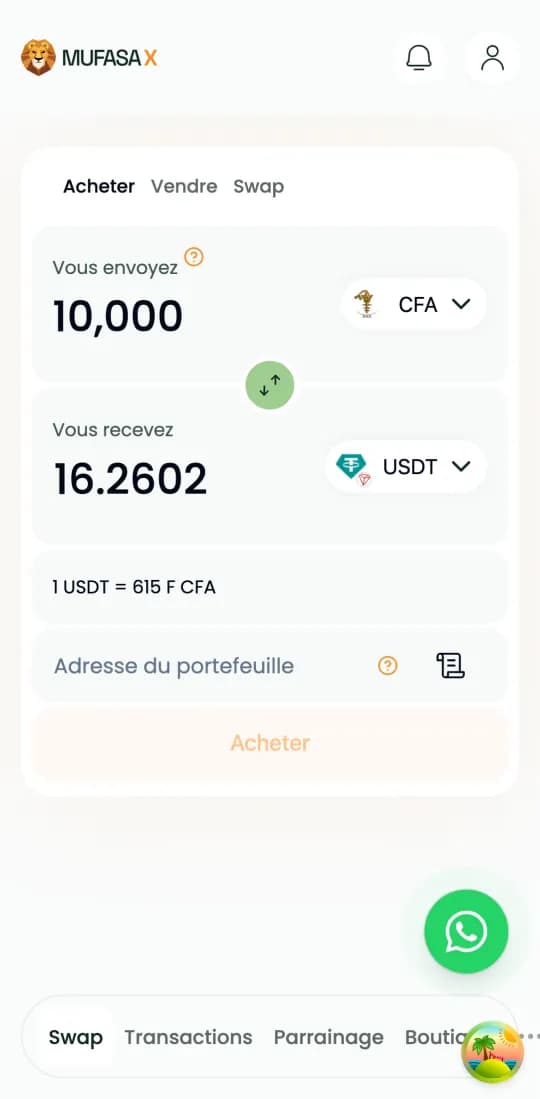
Type the amount in “You send”. The USDT amount and the rate (“1 USDT = … F CFA”) show up within seconds. That rate is the one you pay.
3. Paste your wallet address
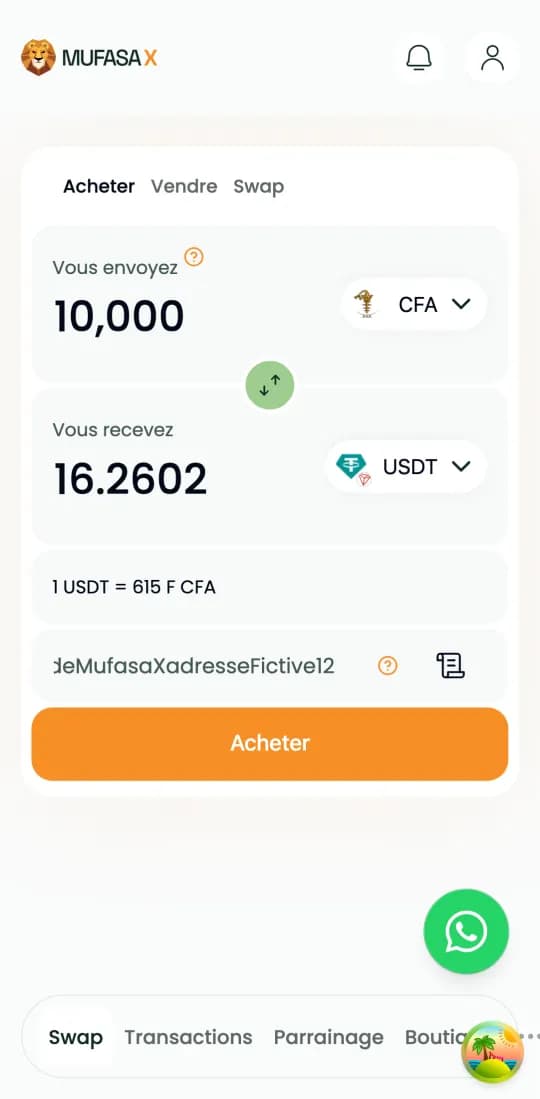
Paste your wallet's USDT address (Trust Wallet, MetaMask, Binance…) on the same network you picked in step 1, then tap “Buy”. An address on another network can lose the funds.
4. Pick Wave and enter your number
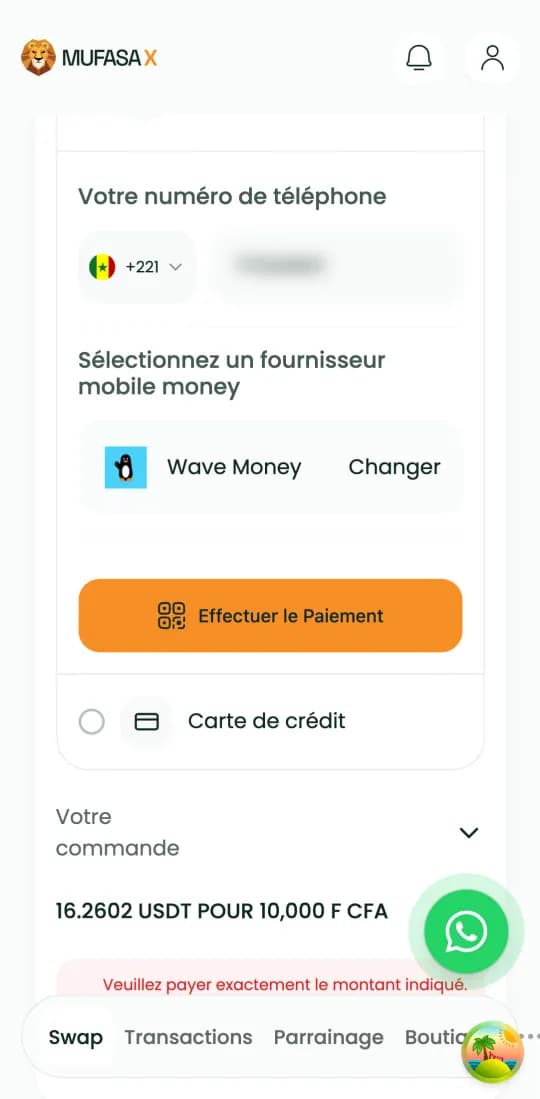
On the payment screen, enter your Wave account number without +221, pick “Wave Money” and tap “Make payment”.
5. Pay in the Wave app
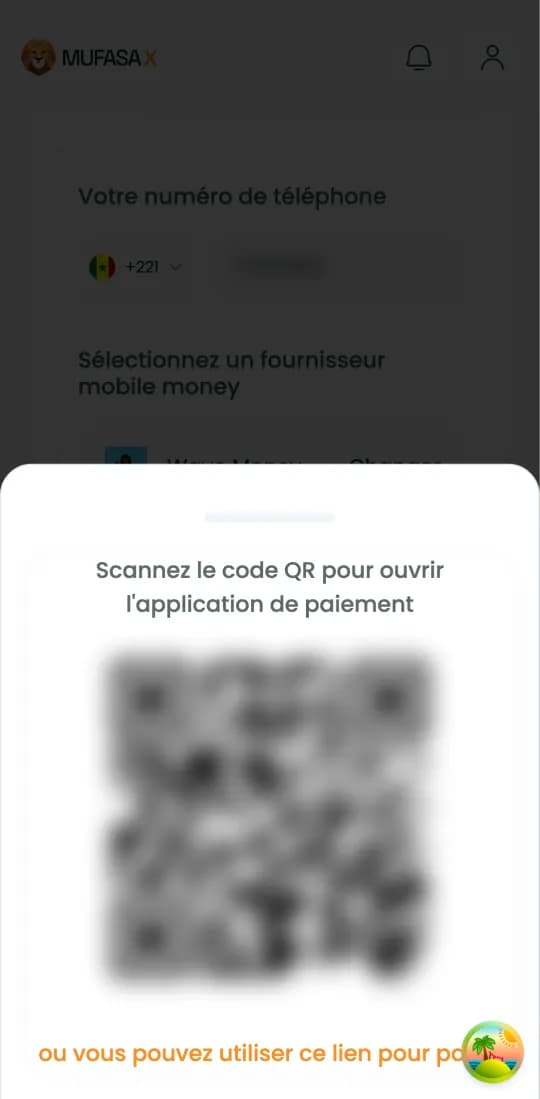
On a phone, tap the payment link: the Wave app opens with the amount already filled in. On a computer, scan the QR code with your phone. Pay from the number you entered, without changing the amount, within 15 minutes.
6. Receive your USDT
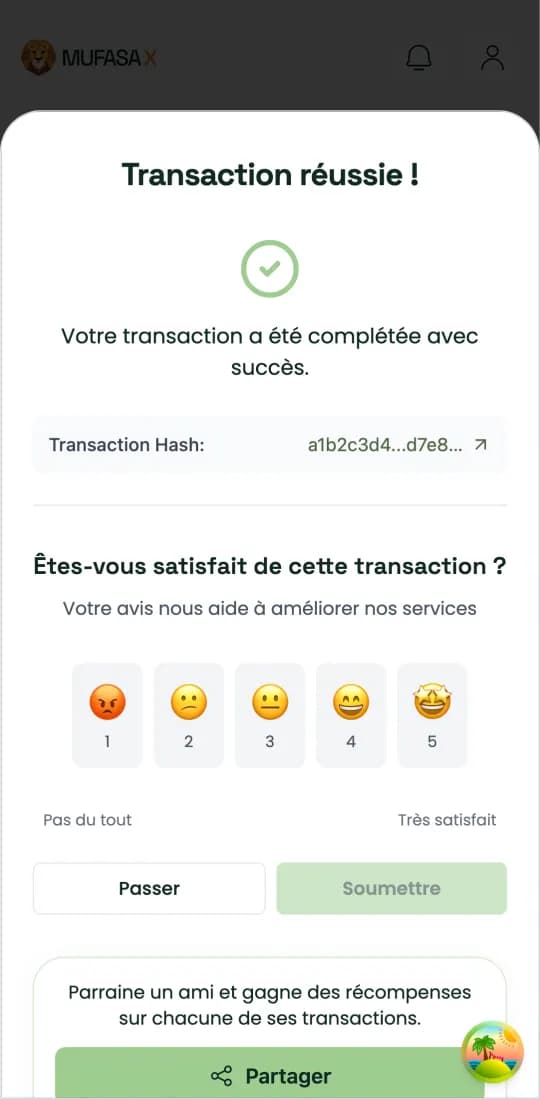
As soon as Mufasa X receives your Wave payment, the USDT is sent to your address. The page switches to “Transaction Successful!” and gives the blockchain transaction link so you can check it.
If the payment does not go through
Do not change the amount in the Wave app: your payment is matched to your order by that amount.
Pay from the Wave number entered in step 4, within 15 minutes. After that, create a new quote instead of paying the old one.
If your Wave account was charged but nothing arrives, contact WhatsApp support with your exchange ID.
Why buy USDT via Wave on Mufasa X
Wave is one of the most used payment methods in Senegal: no bank card needed.
The displayed rate already includes our fees: no hidden fees at checkout.
Responsive support: one question, one answer, right on WhatsApp.
Your USDT via Wave, safely
USDT sent straight to your address: non-custodial transactions, no middleman holding your funds.
All-in rate, no hidden fees — and refund within 10 minutes if anything goes wrong.
Customer support available 24/7.
Video tutorials
- Create a crypto wallet and find your public address
- Buy crypto on Mufasa X
- Create your Mufasa X account
Short videos, in French.
Frequently asked questions
- How do I buy USDT with Wave?
- On mufasax.com, pick USDT, enter the amount in CFA francs, paste your wallet address, pick Wave Money, then pay with the link or QR code that opens the Wave app.
- How fast do I receive my USDT?
- Usually in under 2 minutes after the Wave payment.
- What is the minimum amount to buy USDT with Wave?
- 2,000 FCFA, and 8,000 FCFA for USDT on the Tron network (TRC-20).
- Can I change the amount in the Wave app?
- No. Pay exactly the pre-filled amount: it is what matches your payment to your order.
- Does Mufasa X ask for my Wave code?
- Never. The website only asks for your number. You confirm the payment only in the Wave app, on your phone.
- Which network should I pick to receive my USDT?
- Your receiving wallet's network: Ethereum, BNB Chain, Solana or Tron. The address pasted in step 3 must be on that same network.
- Do I need to install a Mufasa X app?
- No: everything happens on mufasax.com in your browser. Only the Wave app is used, to pay.
- Can I also sell my USDT and get paid on mobile money?
- Yes, you can sell your USDT and receive your CFA francs on your mobile money account.
Crypto-assets are volatile: only commit what you can afford to lose.
Buy USDT with Wave