Withdraw from Binance to Orange Money
To turn your USDT or USDC on Binance into CFA francs on Orange Money, you sell it on Mufasa X: you withdraw it from Binance to the deposit address Mufasa X gives you, and the CFA francs reach your Orange Money number.
In this guide, the example is a sale of 4.7 USDC on the Solana network. With USDT, it works exactly the same way.
The same network on both sides
| Solana | “SOL” on Mufasa X, “SOL Solana” on Binance |
|---|---|
| BNB Smart Chain | “BNB” on Mufasa X, “BSC BNB Smart Chain (BEP20)” on Binance |
| Ethereum | “ETH” on Mufasa X, “ETH Ethereum (ERC20)” on Binance |
| Tron (USDT only) | “TRX” on Mufasa X, “Tron (TRC20)” on Binance |
From Binance to Orange Money, step by step
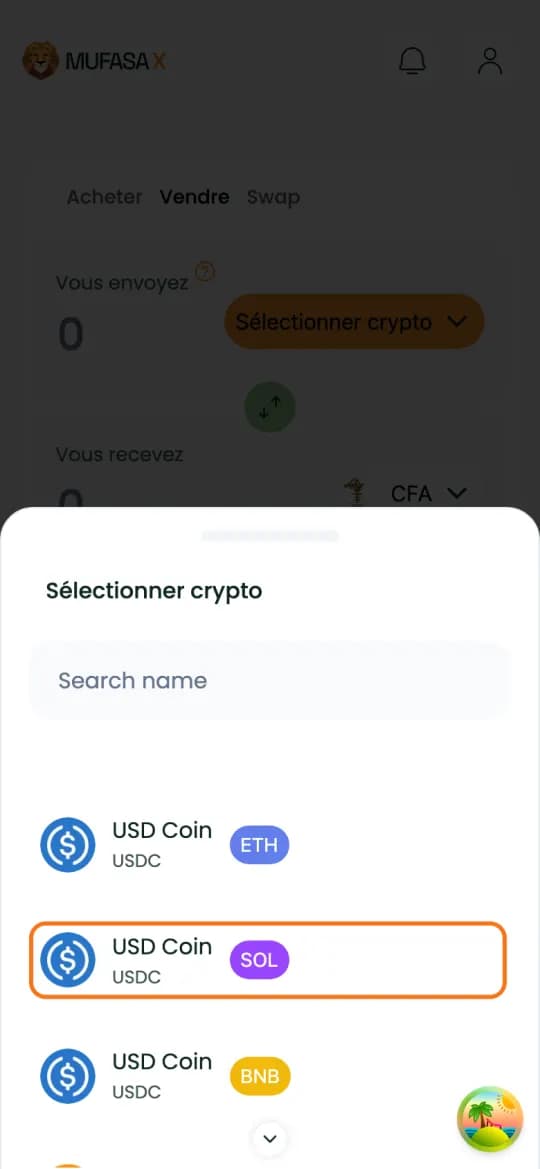
1. On Mufasa X: pick the crypto to sell
On mufasax.com, “Sell” tab, tap “Select crypto”. Pick the crypto and the network you will send from Binance, here “USD Coin” on SOL.
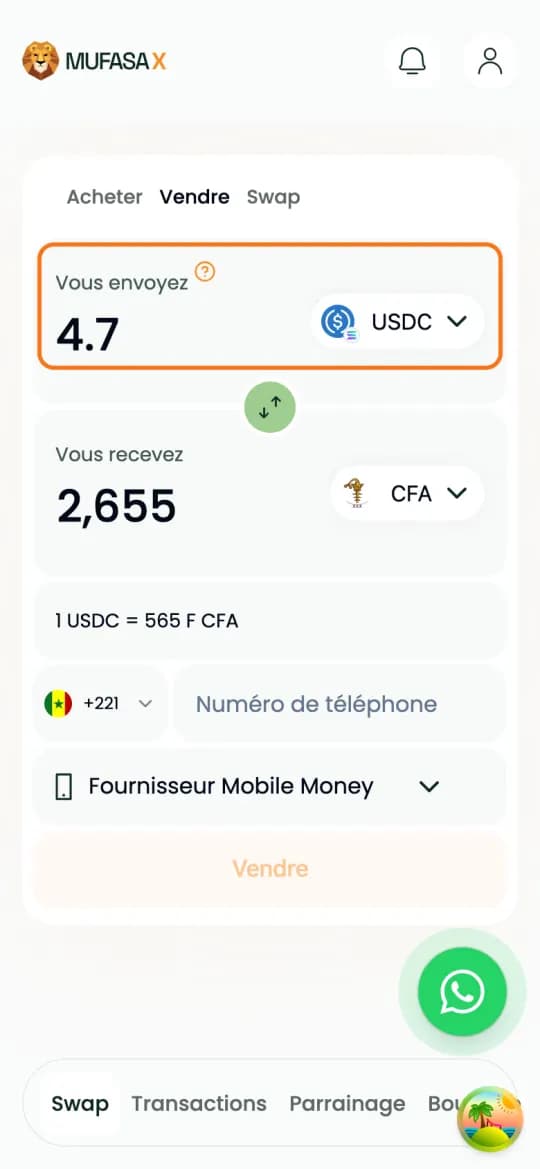
2. On Mufasa X: enter the amount
Type the amount to sell, here 4.7 USDC. The CFA franc amount shows up by itself.
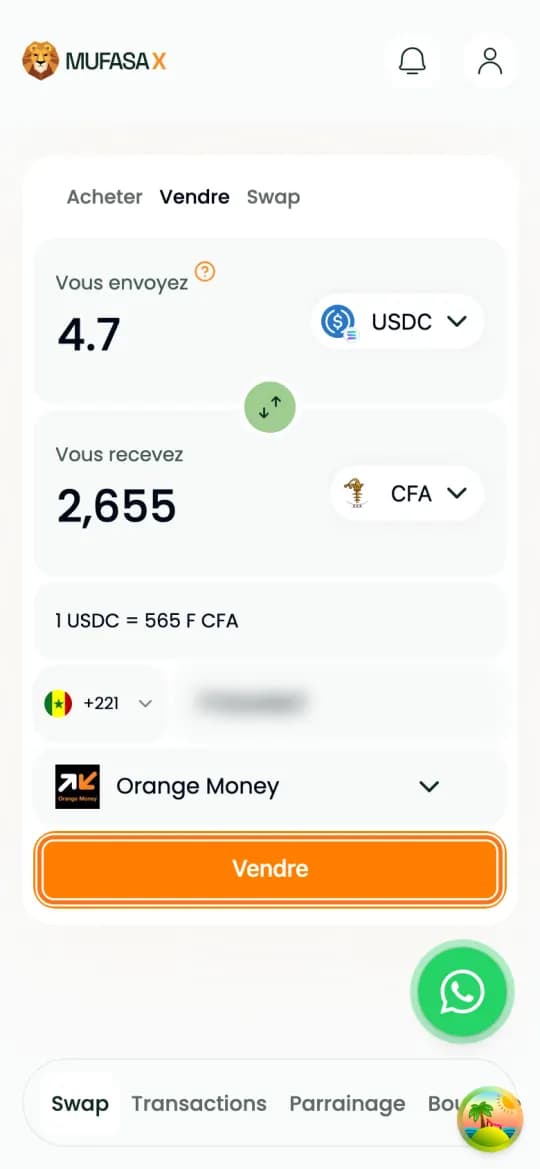
3. On Mufasa X: your Orange Money number
Enter the number that will receive the money, without +221, pick “Orange Money”, then tap “Sell”.
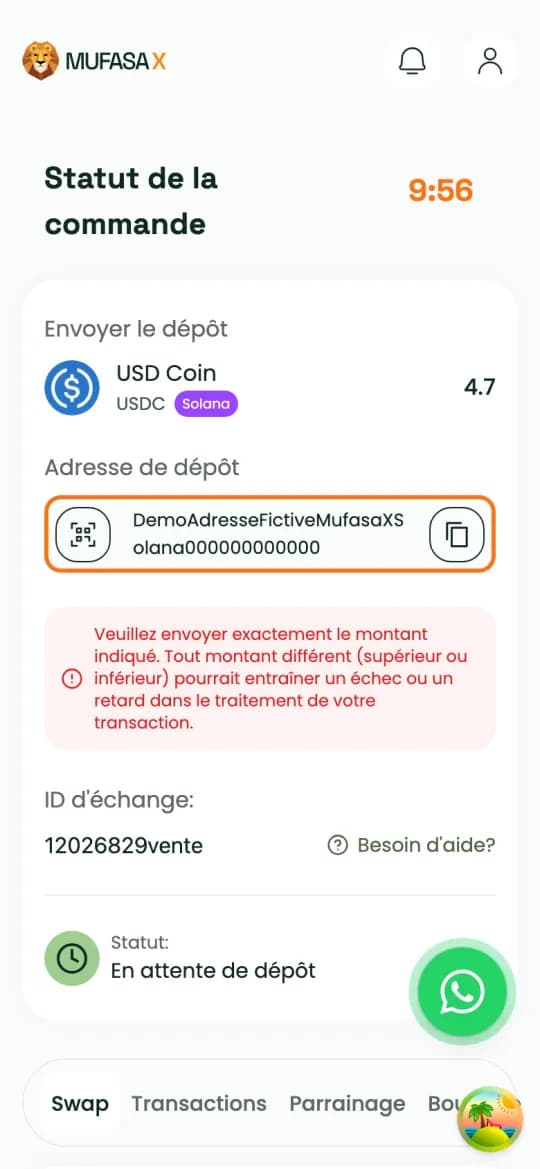
4. On Mufasa X: copy the deposit address
The page shows the deposit address, the exact amount to send and a timer. Copy the address with the button on its right and keep the page open: the Binance withdrawal must leave before the timer runs out.
5. On Binance: tap “Withdraw”
Open the Binance app, “Wallet” tab, and tap “Withdraw”.
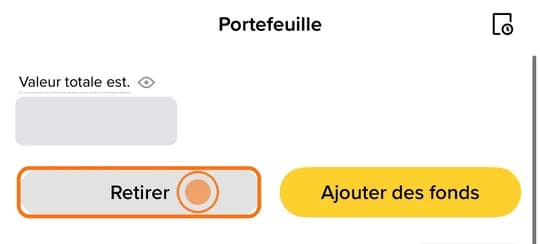
6. On Binance: pick the on-chain withdrawal
Pick the option that sends to a known crypto address through a crypto network.
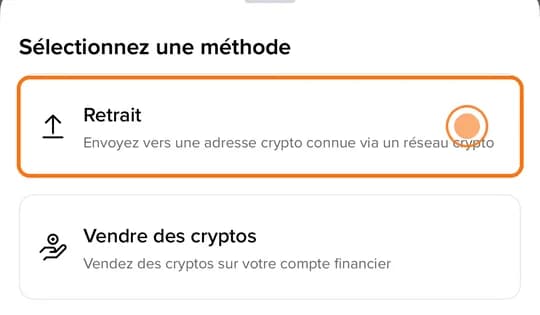
7. On Binance: pick the crypto
The same one as on Mufasa X: USDC here.
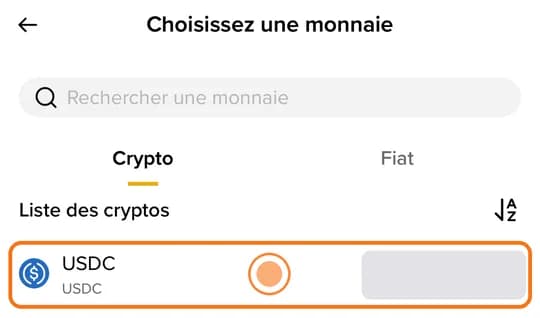
8. On Binance: paste the deposit address
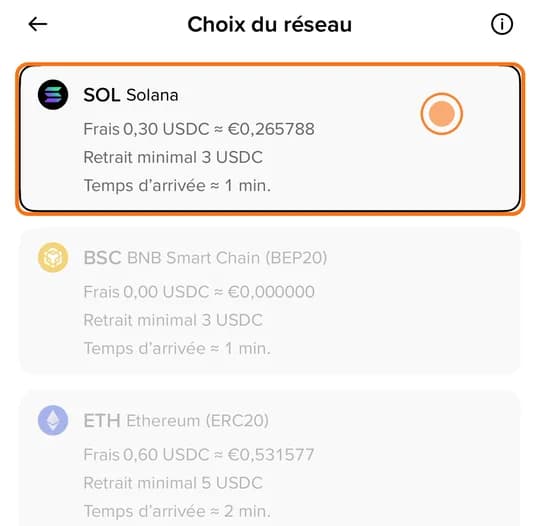
Tap “Paste”. Binance suggests a network from the address: it must be the same one as on Mufasa X.
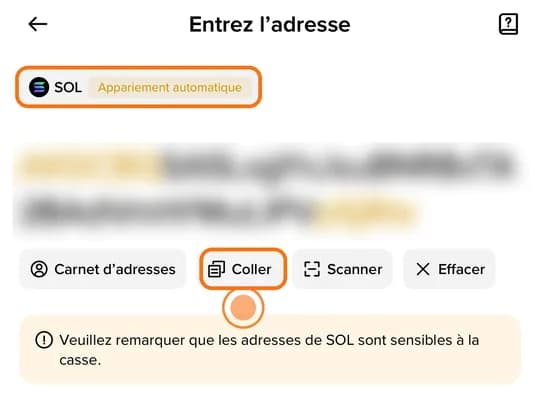
9. On Binance: check the network
The network must be exactly the one picked on Mufasa X, “SOL Solana” here. Tap it: you are back on the address screen, tap “Next”.
10. On Binance: set the amount
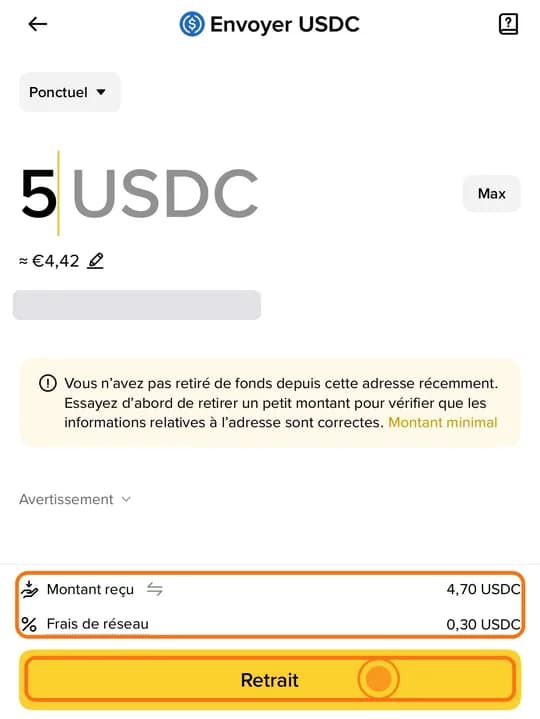
Binance takes its network fee out of the amount. Look at the “amount received” line: it must equal the amount Mufasa X asks for. Here, 5 USDC withdrawn minus a 0.30 fee = 4.70 USDC received. Ignore Binance's advice to send a small amount first: Mufasa X expects the exact amount, a test transfer would not be recognised. Tap “Withdraw”.
11. On Binance: confirm
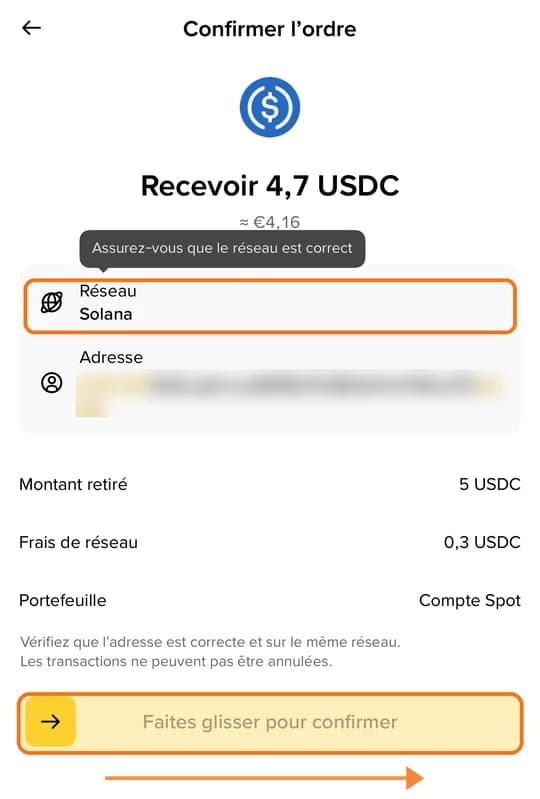
Check the network and the address, then slide to confirm. Verify with your authenticator app and the code sent by email.
12. On Mufasa X: track the sale
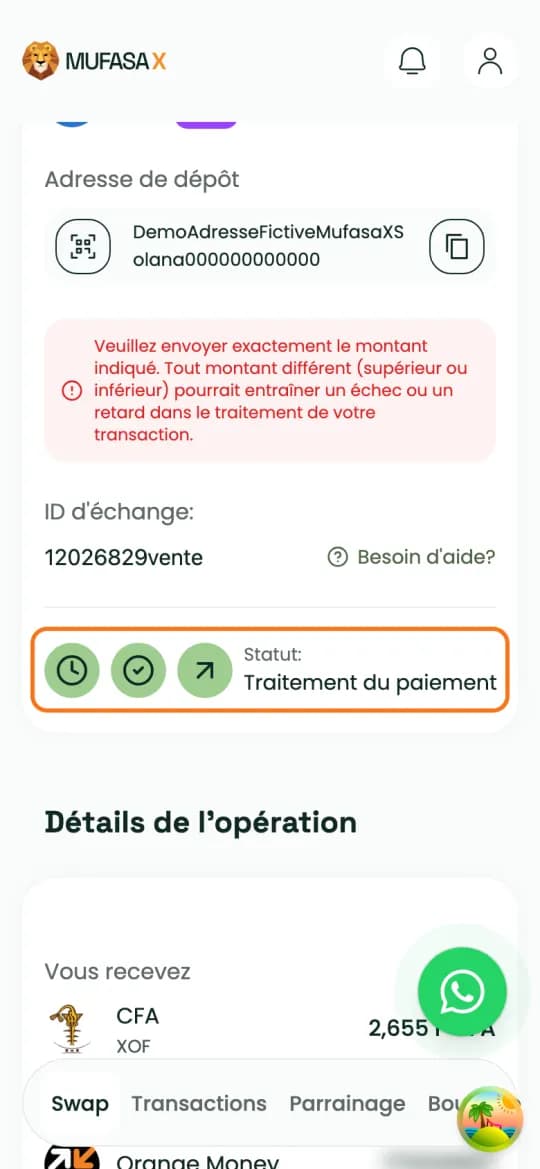
Binance shows the withdrawal as processing. When the deposit arrives, the status moves to “Deposit received” then “Processing payment”. You can close the page: the sale goes on.
13. Receive your CFA francs on Orange Money
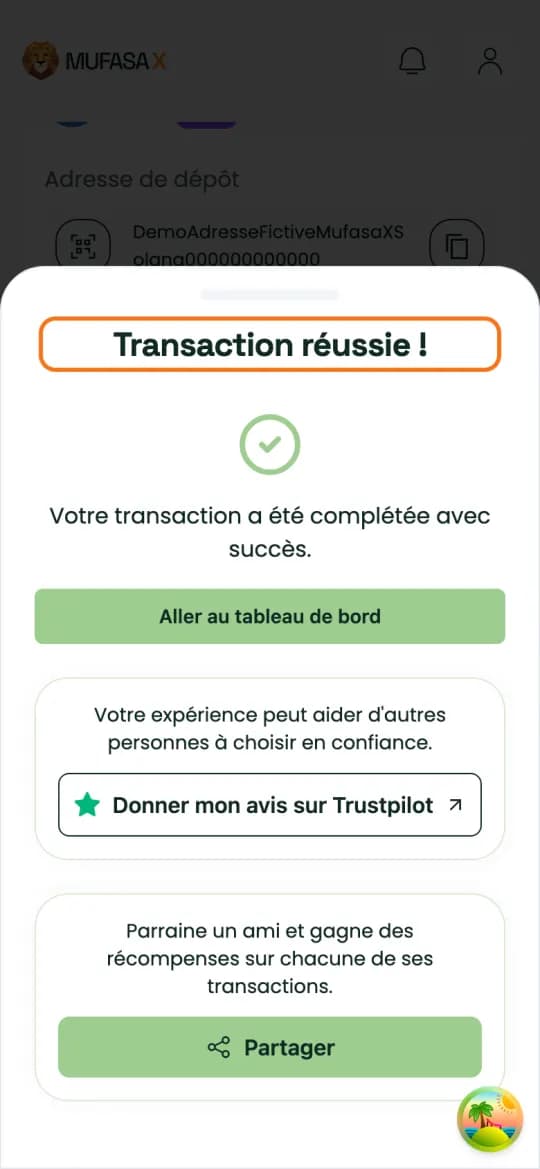
The payout goes to your Orange Money number. The page shows “Transaction réussie !”.
The network: the costly mistake
On Binance, the network must be exactly the one picked on Mufasa X. Binance warns about it itself: if you select the wrong network, your funds may be lost and cannot be recovered.
Mufasa X gives you no memo for USDT or USDC: only the address, the network and the amount matter.
After pasting the address, compare its first and last characters with the ones Mufasa X shows.
No test transfer: send the amount Mufasa X shows in one go.
A withdrawal sent on the blockchain cannot be cancelled.
If something goes wrong
Wrong network or a different amount: the deposit may not be recognised automatically. Contact WhatsApp support with your exchange ID and the transaction ID (TxID) of your Binance withdrawal.
Timer expired: do not send anything more to the address. If your withdrawal left too late, contact support with your exchange ID.
References
The official guides this page is based on:
Frequently asked questions
- Can I withdraw from Binance to Orange Money?
- Yes, through a sale: you withdraw your USDT or USDC from Binance to the deposit address Mufasa X gives you, and Mufasa X pays the CFA francs out to your Orange Money number.
- Which network should I pick on Binance?
- Exactly the one picked on Mufasa X: “SOL Solana” for SOL, “BSC BNB Smart Chain (BEP20)” for BNB, “ETH Ethereum (ERC20)” for ETH, “Tron (TRC20)” for TRX.
- Do I need to fill in the memo on Binance?
- No: Mufasa X gives none for USDT or USDC. Only the address, the network and the amount matter.
- Who pays the Binance withdrawal fee?
- Binance deducts its network fee from the amount withdrawn. Set the amount so that the amount received shown by Binance equals the amount Mufasa X asks for.
- What if I picked the wrong network?
- Contact Mufasa X WhatsApp support right away with your exchange ID and the transaction ID (TxID) of the withdrawal. Depending on the case, the funds may be impossible to recover.
Crypto-assets are volatile: only commit what you can afford to lose.
Sell my crypto