Trust Wallet: create your wallet and find your address
Trust Wallet is a crypto wallet app: you hold your funds, not a platform. This tutorial follows Trust Wallet's official guide, from installing the app to the address you paste on Mufasa X.
Have a sheet of paper and a pen ready: you are going to write down your secret phrase.
At a glance
| App | Trust Wallet, App Store (iPhone) or Google Play (Android) |
|---|---|
| Secret phrase | 12 words, written on paper, never shared |
| Address | “+”, crypto wallet, the crypto, “Copy” |
| Network | The same one you pick on Mufasa X |
Create your Trust Wallet, step by step
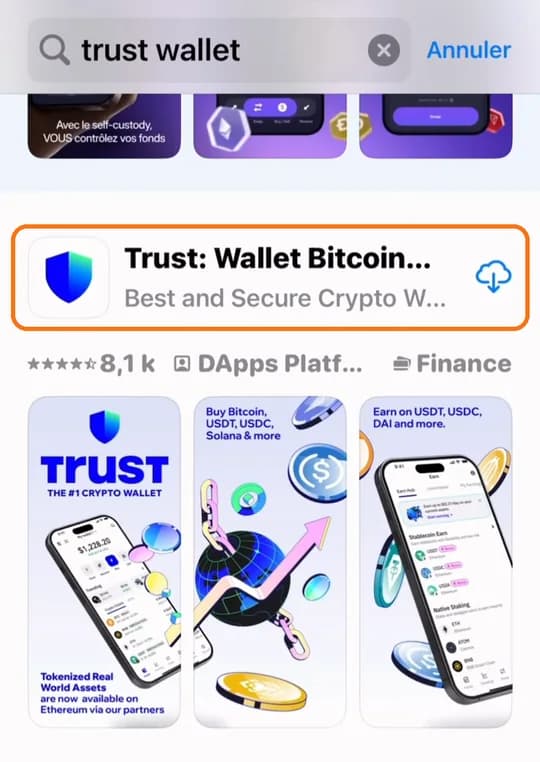
1. Download Trust Wallet
Install the official Trust Wallet app (blue shield) with the link for your phone. Never from a link sent to you in a message: fake apps copy its name.
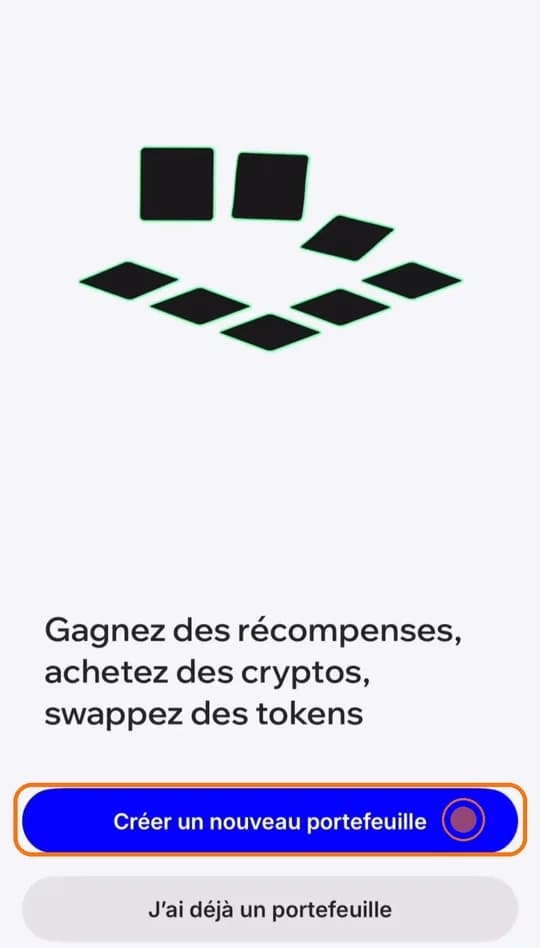
2. Tap “Create a new wallet”
It is the blue button on the welcome screen. “I already have a wallet” is only for restoring an existing wallet.
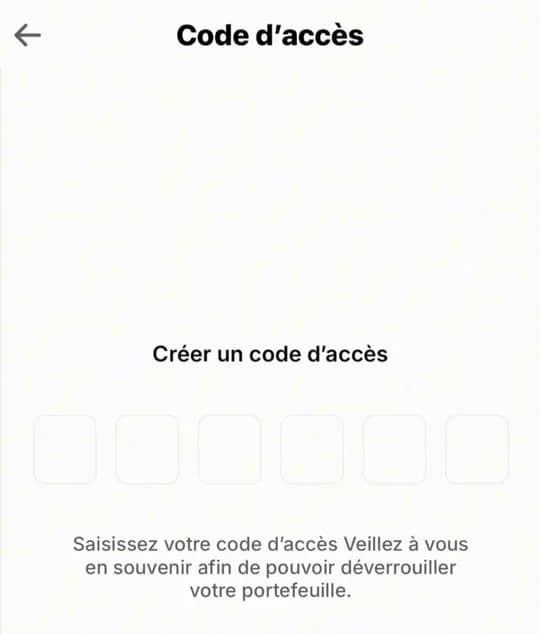
3. Pick your passcode
6 digits, entered twice. Remember it: Trust Wallet cannot reset it. You can then turn on Face ID or fingerprint unlock.
4. Write your secret phrase on paper
The app does not force you to: do it right away. Tap the wallet name at the top of the screen, then the three dots (…), then “Manual Backup”. 12 words show up: write them down in order, on paper. Never a screenshot, never sent in a message.
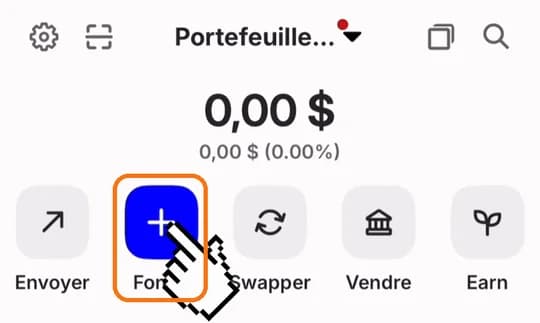
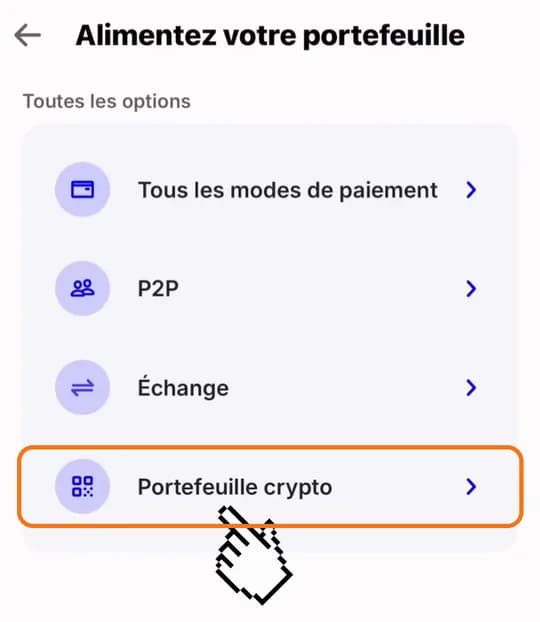
5. Tap “+”
On Trust Wallet's main screen, tap the “+” button under your balance.
6. Pick the crypto wallet option
In the screen that opens, tap the crypto wallet option: the “Receive” list opens.
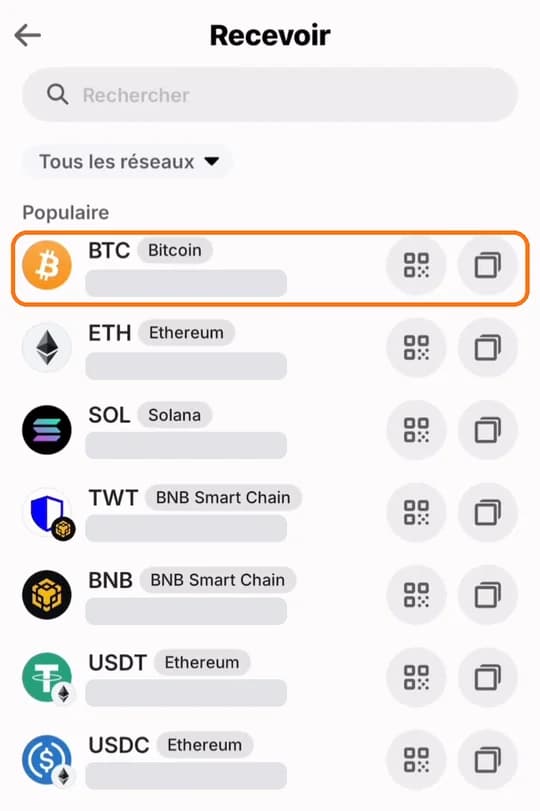
7. Pick the crypto to receive
Tap the crypto you are going to buy, Bitcoin here. For USDT, type USDT in the search field and tap the one on the same network as on Mufasa X (Tron, BNB Smart Chain…): the network is written in grey next to the name.
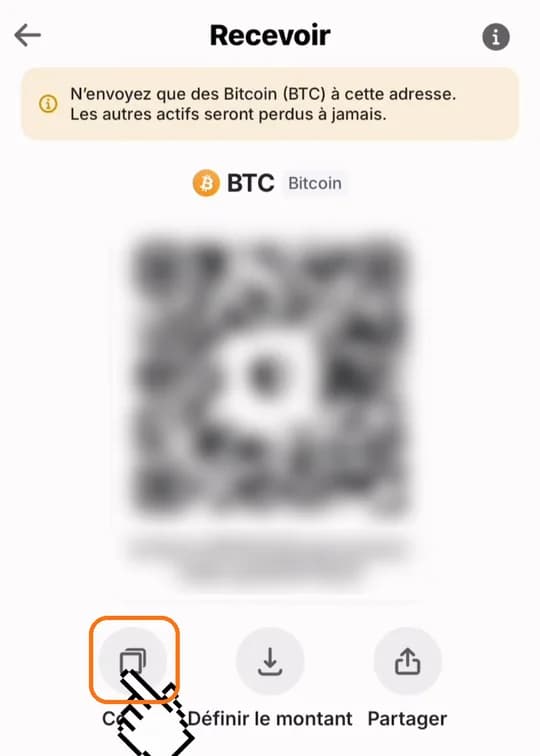
8. Tap “Copy”
Your Bitcoin address shows up with its QR code. Tap “Copy”: it is ready to paste. Each crypto has its own address: check the name shown above the QR code (BTC here).
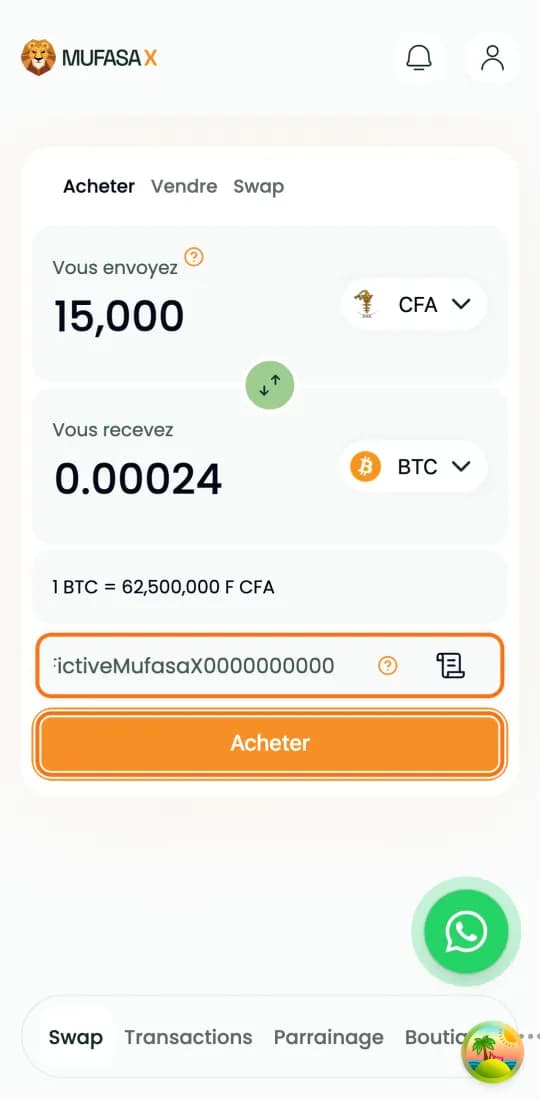
9. Paste the address on Mufasa X
On mufasax.com, “Buy” tab, pick the same crypto (Bitcoin here) and enter the amount. Paste your address in the wallet address field: its first and last characters must match the ones in Trust Wallet. Tap “Buy”.
Scams: the rules never to forget
Never give your secret phrase to anyone: not to a relative, not to a “support agent”. Trust Wallet support never asks for it, and neither does Mufasa X.
Trust Wallet never contacts users on WhatsApp or through X (Twitter) direct messages: such a message is a scam.
Never use a secret phrase given to you by someone else: that person would control your wallet.
Ignore unknown tokens that show up in your wallet, and websites asking you to “connect your wallet” to claim a gift.
A promise of big returns or pressure to act fast are the classic signs of a scam.
If you change phones
Install Trust Wallet on the new phone and choose to restore an existing wallet with your secret phrase. It is the only way to get your funds back: without it, Trust Wallet cannot recover them for you.
References
The official guides this page is based on:
- Trust Wallet: official download page
- Trust Wallet on the App Store
- Trust Wallet on Google Play
- How to create a multi-coin wallet (Trust Wallet help)
- How to back up your recovery phrase (Trust Wallet help)
- How to receive cryptocurrency (Trust Wallet help)
- How to deposit crypto from a centralized exchange (Trust Wallet help)
- How to spot and avoid crypto wallet scams (Trust Wallet help)
Video tutorials
Short videos, in French.
In pictures on Instagram
Frequently asked questions
- Does Trust Wallet hold my crypto?
- No. You control your funds, through your secret phrase. The other side of it: if you lose that phrase, nobody can recover them for you.
- Where do I find my USDT address in Trust Wallet?
- Tap “+”, then the crypto wallet option. Search for USDT, tap the one on the right network, then “Copy”.
- Which network should I pick to receive my USDT?
- The same one on both sides: if you pick USDT on Tron on Mufasa X, copy the address of USDT on Tron in Trust Wallet. A transfer on another network can be lost for good.
- I forgot my PIN, what can I do?
- Trust Wallet cannot reset it. The only way is to restore your wallet with your secret phrase.
- Can Trust Wallet support ask for my secret phrase?
- Never. Anyone who asks for it, whatever the channel, is trying to take your funds.
Crypto-assets are volatile: only commit what you can afford to lose.
Buy crypto